


How to Change eCitizen Email Address
Wondering how to change eCitizen email address linked to your account? It’s a self-service process you can complete from your dashboard in under 15 minutes — no Huduma Centre visit needed. Here are the exact 7 steps, in order, with what each screen looks like along the way.
To change your eCitizen email, log in, open your profile dashboard, click the email field to change it, enter your password to authenticate, type in the new email, then enter the verification code sent to that new email and click Save.
- Log in at accounts.ecitizen.go.ke
- Open your profile dashboard
- Click the option to change your email
- Enter your eCitizen password when prompted
- Type in your new email address
- Enter the verification code sent to the new email
- Click Save to finish
Log In to Your eCitizen Account
Go to accounts.ecitizen.go.ke and log in using your existing eCitizen ID number and password.

The eCitizen login page at accounts.ecitizen.go.ke.
- Visit accounts.ecitizen.go.ke/en/login
- Enter your ID number and password, then click Login
Open Your Profile Dashboard
Once logged in, navigate to your profile dashboard. This is where your registered email address and phone number are both displayed.

Your eCitizen dashboard, showing your current email and phone number.
- Click on your profile or account icon to open the dashboard
- Confirm you can see your current email and phone number listed
Click the Email Change Option
Next to your email address on the dashboard, click the option to change it. A popup window will open to start the process.
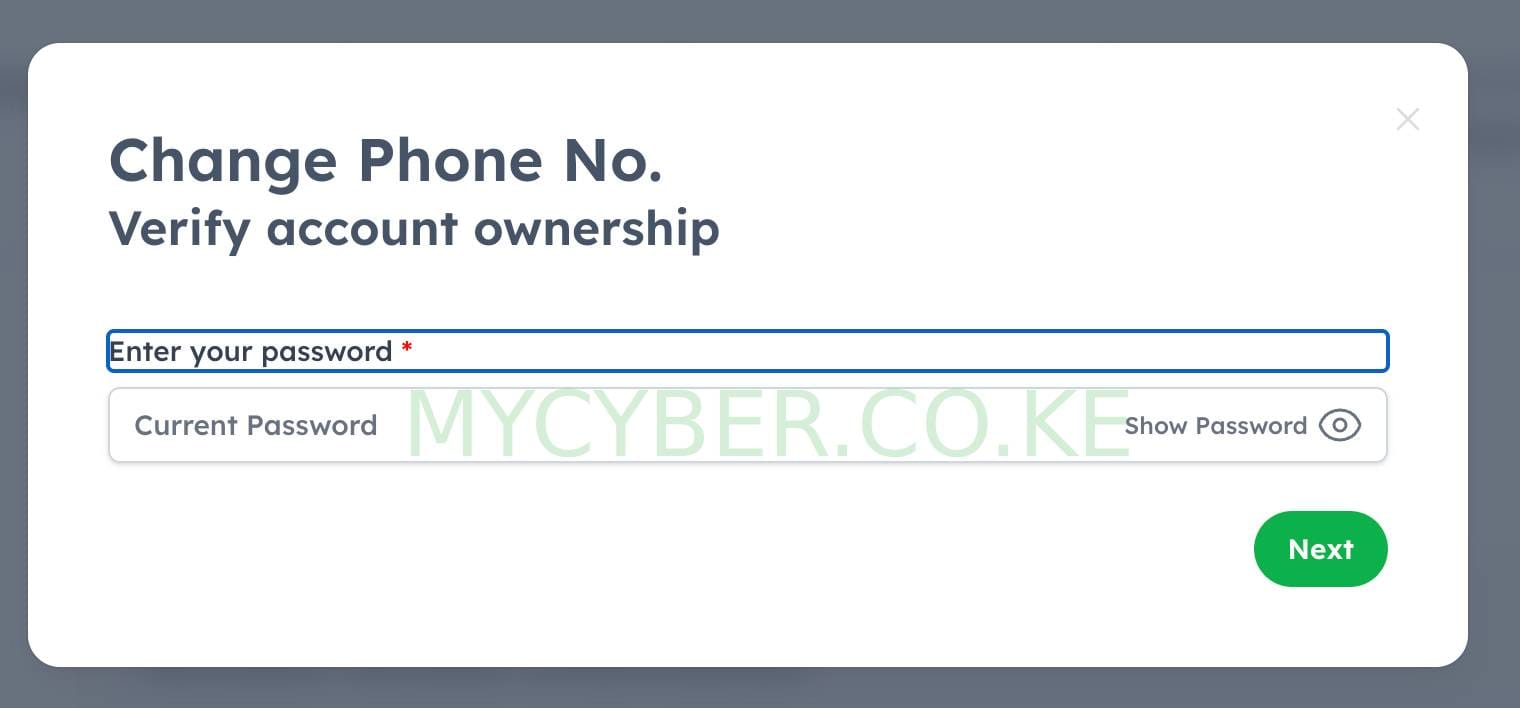
The popup that appears when you choose to change your registered email.
- Locate the “Change” link or icon beside your current email
- Click it to open the update popup
Enter Your eCitizen Password
Before allowing any change, eCitizen asks you to re-enter your current account password. This confirms it’s really you making the request.
- Type in your current eCitizen password exactly as you set it
- Click Confirm or Authenticate to proceed
Enter Your New Email Address
Once your password is verified, you’ll be prompted to type in the new email address you want linked to your eCitizen account.
- Type your new email carefully, double-checking for typos
- Click Next or Continue
Enter the Verification Code
A confirmation code is sent straight to the new email address you just entered. This step proves you actually own that inbox.
- Open the new email’s inbox and find the code from eCitizen
- Type the code into the verification field on the eCitizen page
Save the Changes
Once the code is accepted, click Save to finish. Your eCitizen account is now linked to the new email address, and it will be used for all future login and notification purposes.
- Click Save to complete the update
- Log out and back in with your new email to confirm it worked
If the verification code doesn’t arrive, check your spam or junk folder first — it’s the most common cause. If it still doesn’t show up after a few minutes, go back and re-check the new email for a typo before requesting the code again.
Frequently Asked Questions
How do I change my eCitizen email address?
Log in to accounts.ecitizen.go.ke, open your profile dashboard, click the option to change your email, enter your password to authenticate, type in your new email, then enter the verification code sent to that new email and click Save.
Do I need my password to change my eCitizen email?
Yes. eCitizen requires you to re-enter your current account password before it allows any change to your registered email address, as a security check.
What if I don’t receive the verification code on my new email?
Check your spam or junk folder first, since the code is often filtered there. If it still hasn’t arrived after a few minutes, go back and re-enter the new email carefully in case of a typo, then request the code again.
Can I change my eCitizen email if I no longer have access to my old email?
Yes, this process only requires your eCitizen password, not access to the old email inbox. As long as you can log in and authenticate with your password, you can set a new email.
Is changing your eCitizen email free?
Yes, updating your email address on the eCitizen portal itself is completely free and takes only a few minutes.
Disclaimer: MyCyber is an independent digital assistance service, not affiliated with eCitizen or any government body. Always verify current details on ecitizen.go.ke directly.
Data protection: By messaging MyCyber on WhatsApp, you agree to our data protection terms and conditions.
