


KSTVET Student Portal Login (2026): Official Link, Steps & Fixes
The KSTVET student portal login page is at kttc.mycampuscura.com — that is the official link used by all Kenya School of TVET students to access their accounts. To log in, enter your admission number in capital letters as your User ID and the same admission number as your password on first login. If you are locked out, forgot your password, or the portal is not loading, the fixes below cover every problem students actually run into.
- The official KSTVET student portal login link
- Your User ID and password explained
- How to log in, step by step
- Forgot your password or User ID
- Common login problems and fixes
- KSTVET e-learning portal login
- What you can do on the student portal
- How to apply — not the same as logging in
- Frequently asked questions
The Official KSTVET Student Portal Login Link
The official KSTVET student portal runs on the MyCampusCura system. The direct login link is:
You can also reach it by going to www.kstvet.ac.ke and clicking Student Portal in the top menu or in the Quick Links section at the bottom of the homepage. Both take you to the same MyCampusCura login page.
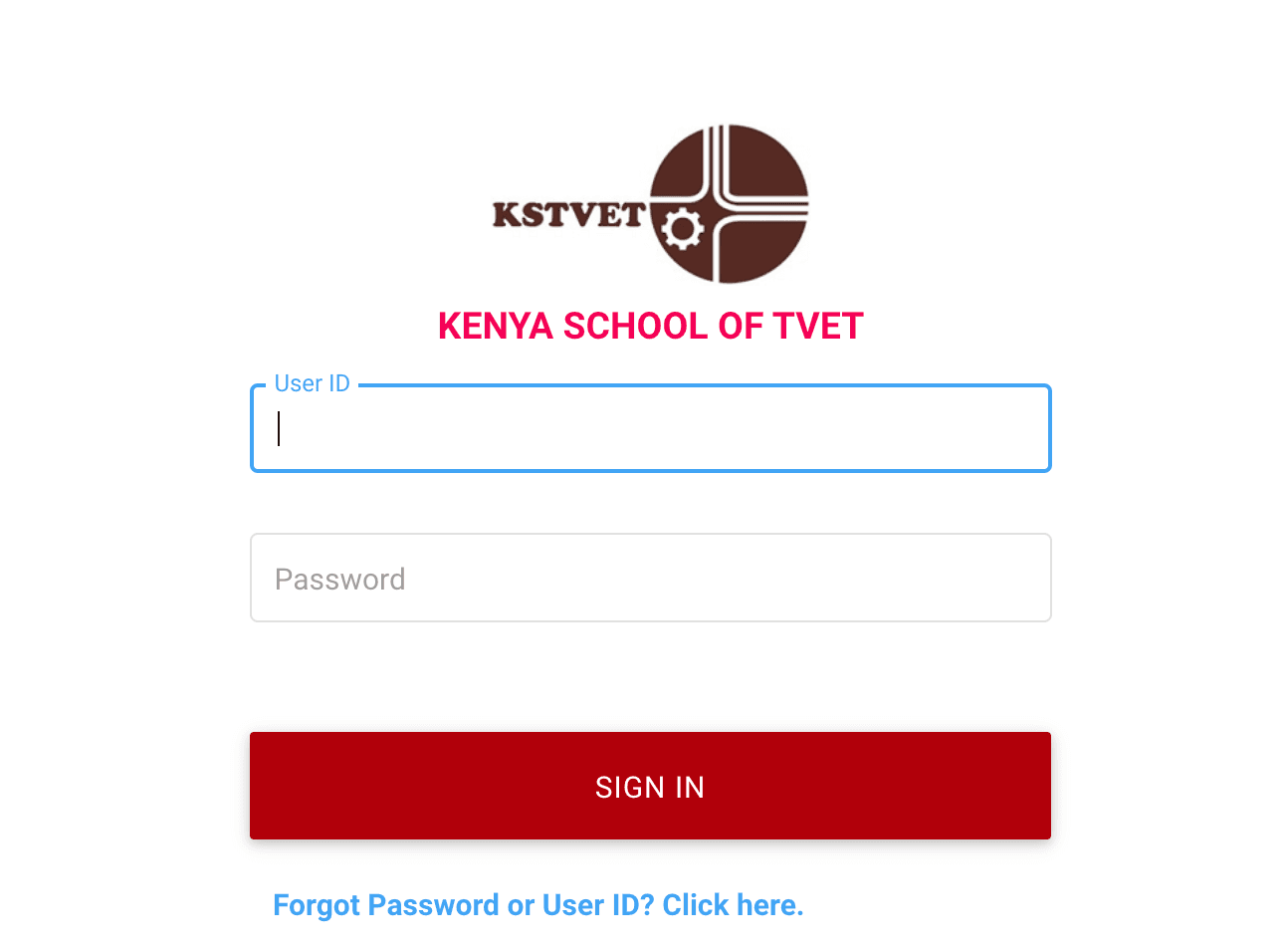
Your KSTVET User ID and Password Explained
Many students fail to log in simply because they do not know what to enter. Here is exactly what the portal expects:
Password: Your admission number in CAPITAL LETTERS (first login)
Example: If your admission number is kstvet/001/2026, enter KSTVET/001/2026
After your first successful login, you should immediately change your password to something only you know. If you registered your student email, the format is admissionnumber@kstvet.ac.ke — for example KSTVET/001/2026@kstvet.ac.ke.
How to Log In to the KSTVET Student Portal — Step by Step
Open the official login page
Go directly to kttc.mycampuscura.com or click Student Portal on the KSTVET website. Bookmark the link to avoid ending up on a wrong page next time.
Enter your User ID
Type your admission number in full capital letters in the User ID field. Do not include spaces. Check that you have not accidentally typed it in lowercase — the portal is case-sensitive.
Enter your password
For first-time login, your password is the same as your admission number in capital letters. If you have already changed your password before, use the one you set.
Click Sign In
Press the red SIGN IN button. If your credentials are correct you will be taken directly to your student dashboard.
Change your password on first login
Go to your profile settings and update your password to something personal and secure. This ensures no one else can access your portal using your admission number.
Forgot Your KSTVET Password or User ID
If you cannot remember your password or User ID, use the built-in recovery option on the login page. Here is exactly how it works based on the actual portal screens:
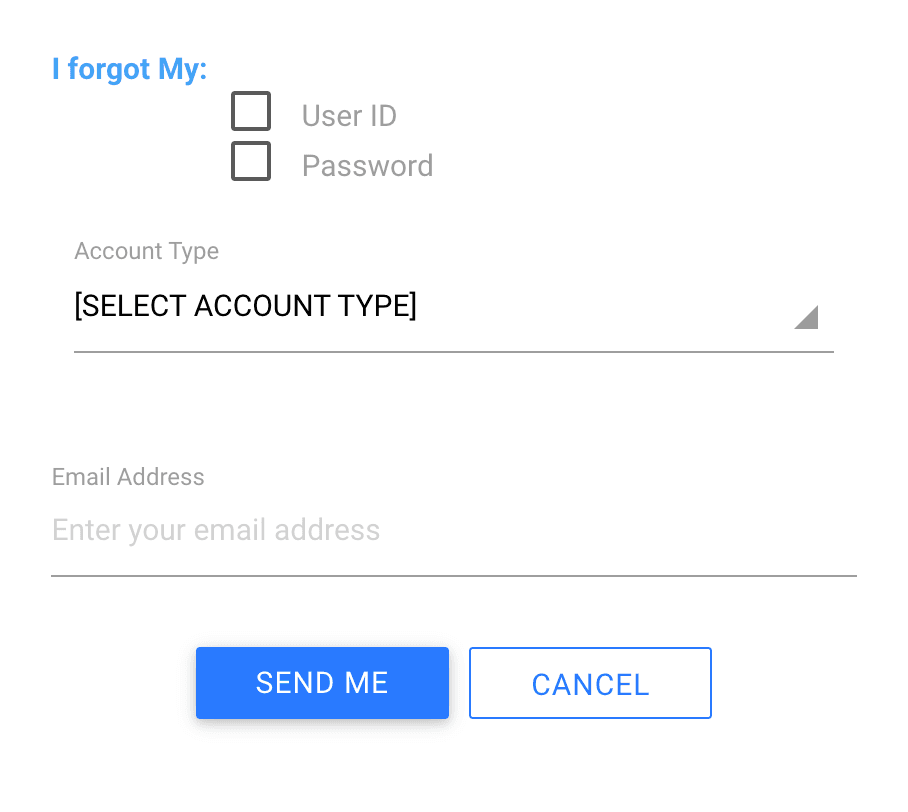
Click “Forgot Password or User ID? Click here”
This link appears in blue at the bottom of the login page, below the SIGN IN button.
Select what you forgot and choose your account type
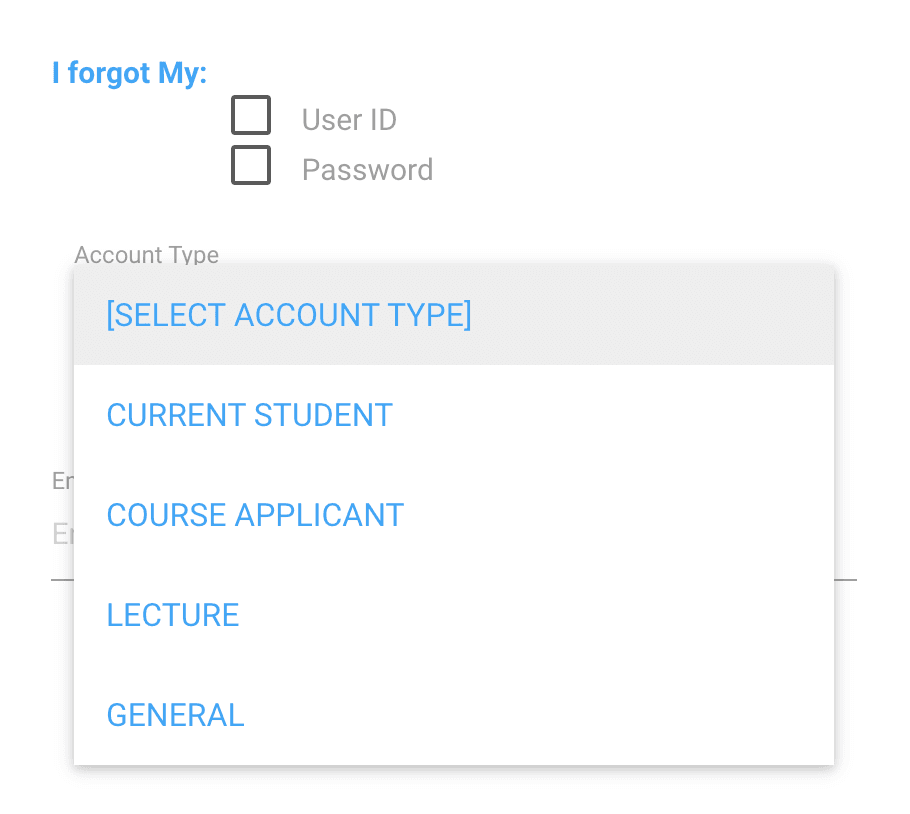
Tick either User ID or Password (or both). Then select your Account Type from the dropdown — choose Current Student if you are already enrolled, or Course Applicant if you applied but have not yet started your programme.
Enter your email and click Send Me
Type the email address you registered with KSTVET and click the blue SEND ME button. A reset link will be sent to that email. Check your spam folder if it does not arrive within a few minutes.
Common KSTVET Student Portal Login Problems and Fixes
Invalid User ID or password error
The most common cause is entering your admission number in lowercase. The portal is case-sensitive — your admission number must be in full CAPITAL LETTERS for both the User ID and default password. Double-check every character including slashes and numbers.
Portal not loading or timing out
The MyCampusCura system can slow down during peak periods — especially around registration deadlines, hostel booking opening dates, and exam result releases. Try again after 30 minutes, switch to a different browser such as Chrome or Firefox, or clear your browser cache and cookies.
Reset email not arriving
Check your spam or junk folder first. If it is not there, confirm that you entered the exact email address you used during registration — a different email will produce no result. If you no longer have access to that email, contact KSTVET directly on 0707444222 or email info@kstvet.ac.ke.
Account not found in the system
If the portal says your account does not exist, your registration may not have been fully processed yet. Contact the KSTVET Registry to confirm your admission number is active in the system before attempting to log in again.
Using the wrong portal link
Make sure you are using the student portal link, not the staff portal or the application portal. The student portal login is at kttc.mycampuscura.com with the parameter Apply=false. The application portal has Apply=1 in the URL — that one is for new applicants, not current students.
Can’t Log In and Need Help Fast?
We help KSTVET students sort out portal login issues, admission number problems, and account recovery without the long hold times.
WhatsApp Us NowKSTVET E-Learning Portal Login
The KSTVET e-learning portal is a separate system from the main student portal. It is where lecturers upload course materials, assignments, and quizzes, and where students submit work and check grades between physical classes.
Student Email Format: admissionnumber@kstvet.ac.ke
Default Password: Admission number in CAPITAL LETTERS
If you are accessing the e-learning portal for the first time, log in using your student email address (admissionnumber@kstvet.ac.ke) and your admission number in capital letters as the password. This is separate from your MyCampusCura student portal credentials — they are two different systems.
What You Can Do on the KSTVET Student Portal
Once logged in to the MyCampusCura portal, you have access to the following services:
| Service | Where to Find It |
|---|---|
| Download your admission letter | Student dashboard after login |
| Register for units | Unit Registration section |
| Check your fee balance | Finance / Fees section |
| Book hostel accommodation | Hostel Booking section |
| Check exam results | Examination section |
| Download transcript | Academic Records section |
| Check application status | Available before full admission |
| Update student profile | Profile / Settings section |
Applying to KSTVET — This Is Not the Same as Logging In
The September 2026 intake is currently ongoing. Visit the KSTVET application procedure page for full requirements and intake deadlines.
Frequently Asked Questions
What is the KSTVET student portal login link?
The official KSTVET student portal login link is https://kttc.mycampuscura.com/Campuscura/?TenantID=kttc#login;TenantID=kttc;Apply=false. You can also reach it from www.kstvet.ac.ke by clicking Student Portal in the menu.
What is my KSTVET student portal User ID and password?
Your User ID is your admission number in capital letters. Your default password is also your admission number in capital letters. Change your password after your first login.
How do I reset my KSTVET student portal password?
Click “Forgot Password or User ID? Click here” on the login page, select what you forgot, choose your account type (Current Student or Course Applicant), enter your registered email address, and click Send Me. A reset link will be sent to your email.
What is the KSTVET e-learning portal login link?
The KSTVET e-learning portal is at https://elearning.kstvet.ac.ke/login/index.php. Log in using your student email (admissionnumber@kstvet.ac.ke) and your admission number in capitals as your default password.
How do I apply to KSTVET online?
New applicants apply through https://kttc.mycampuscura.com/Campuscura/?TenantID=kttc&Apply=1 — the Join Now link on the KSTVET website. This is different from the student portal login, which is for admitted students only.
What can I do on the KSTVET student portal?
You can register for units, check your fee balance, book hostel accommodation, download your admission letter, check exam results, access your transcript, and update your student profile.
What is the KSTVET contact number and email?
KSTVET can be reached on 0707444222 or 0786444600. The official email is info@kstvet.ac.ke. The institution is located along UN Avenue, Gigiri, Nairobi, opposite Gigiri Box Park.
