



Make SHA Payments with Lipa Pole Pole via *147#
Lipa Pole Pole is SHA’s option for breaking a contribution into smaller, easier-to-manage payments, and the whole thing runs over a basic USSD code — no app, no smartphone, no data bundle. Below is the exact sequence of prompts you’ll see when you dial *147#, with a screenshot for each one.
The Five Prompts You’ll See
Each step below is a single prompt from the *147# session — dial once, and you’ll move through all five in order.
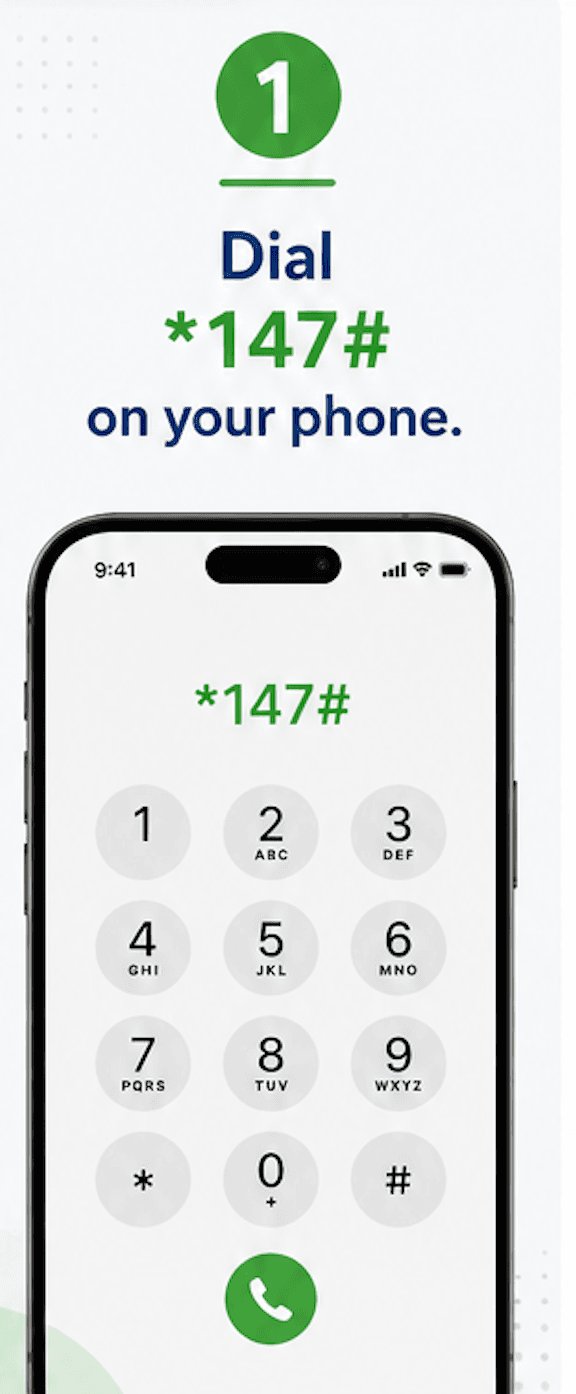
Key in *147# and dial
Punch *147# into your phone’s dialer and hit the green call icon to open the session.
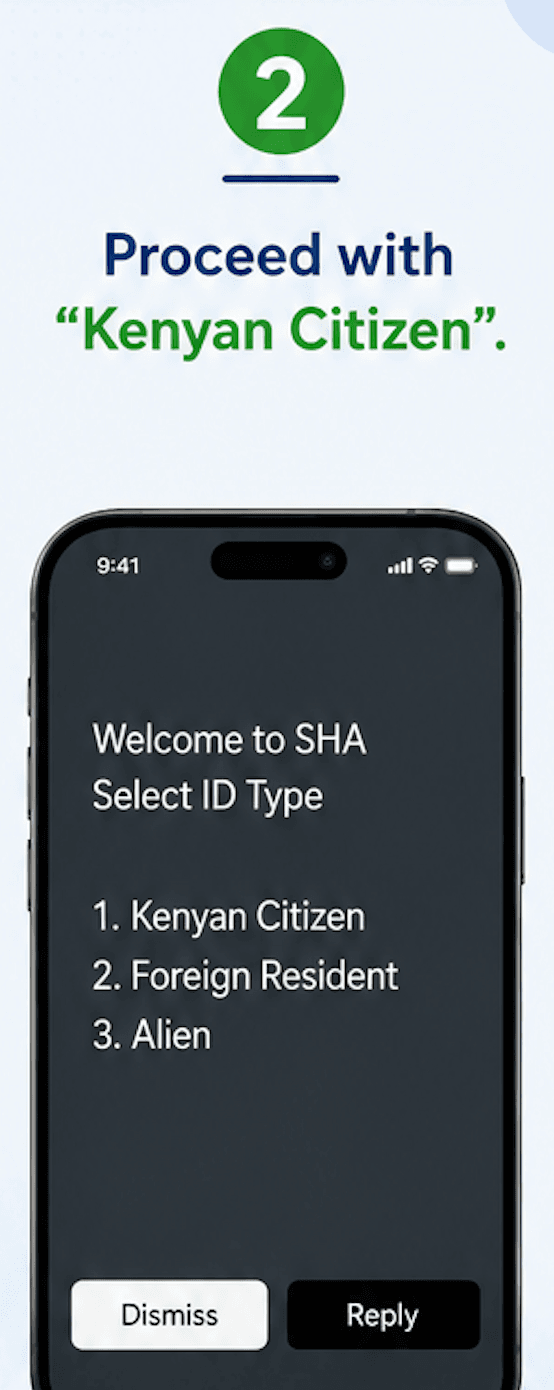
Confirm you’re a Kenyan citizen
You’ll be asked to pick an ID category — reply with 1 if you hold a Kenyan National ID (options 2 and 3 cover foreign residents and aliens).
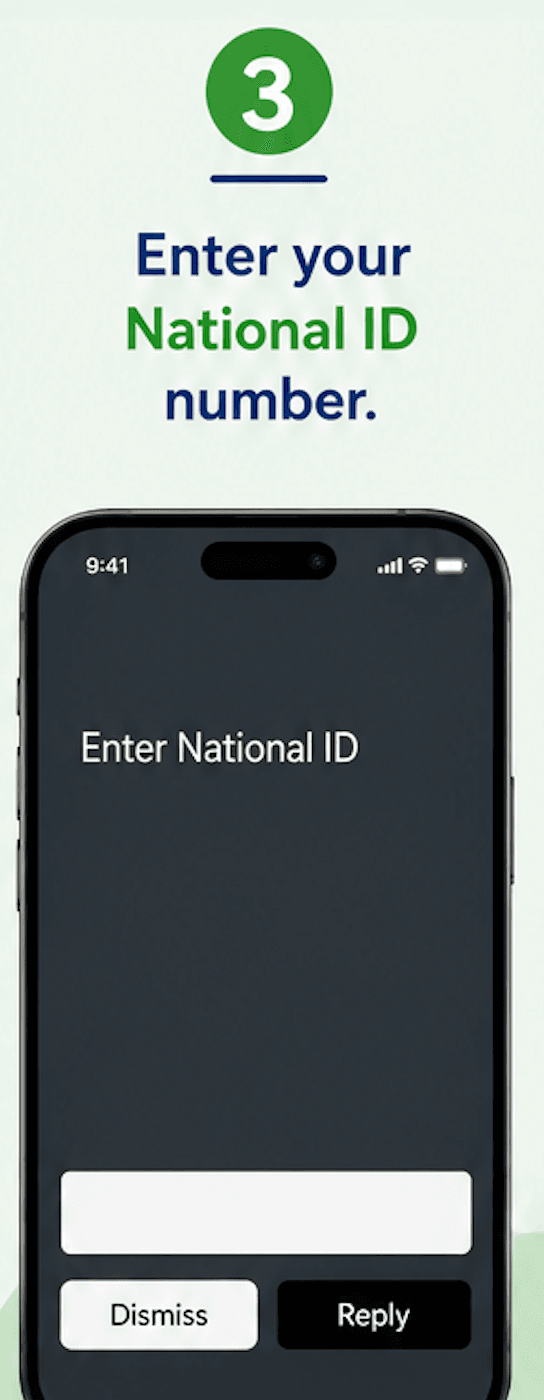
Submit your National ID number
Type it in exactly as printed on your ID card, then send your reply to move forward.
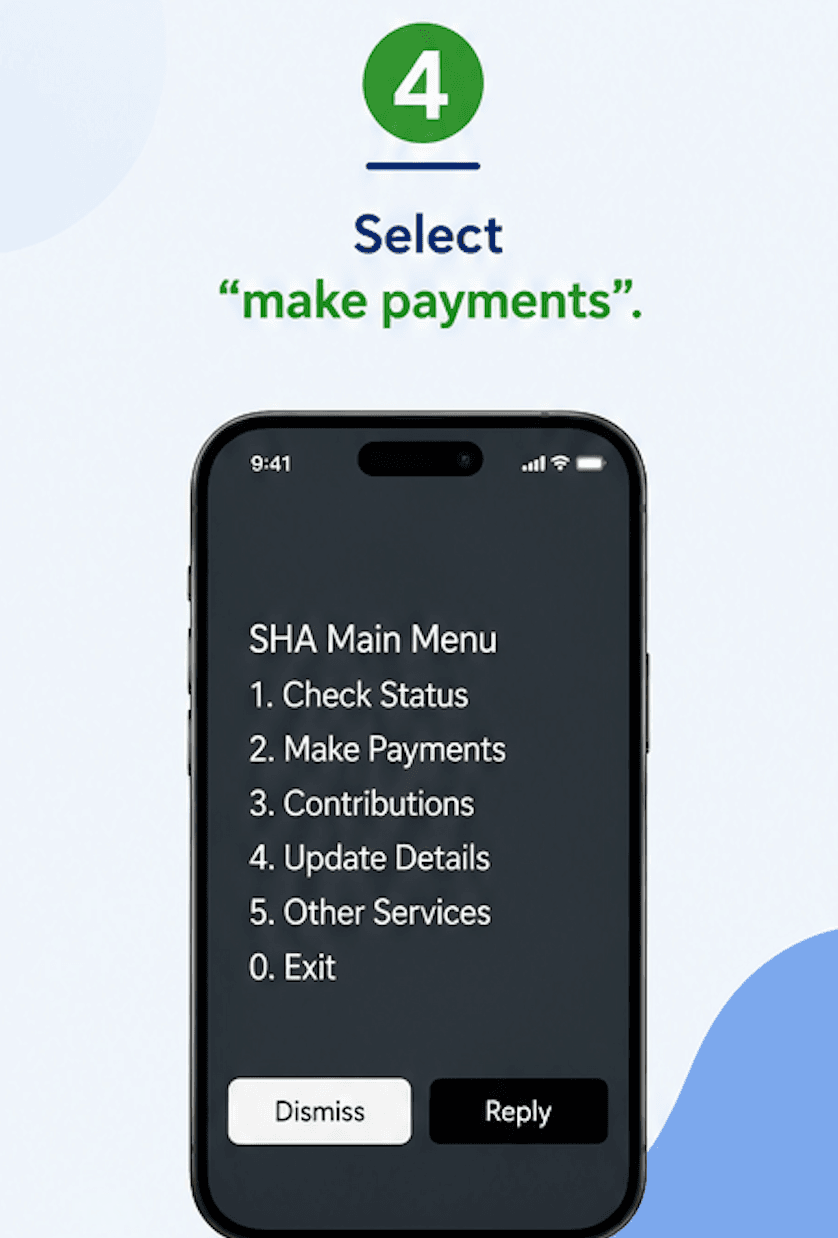
Pick Make Payments from the main menu
You’ll land on SHA’s main menu with several numbered options — reply 2 to head into the payments section.
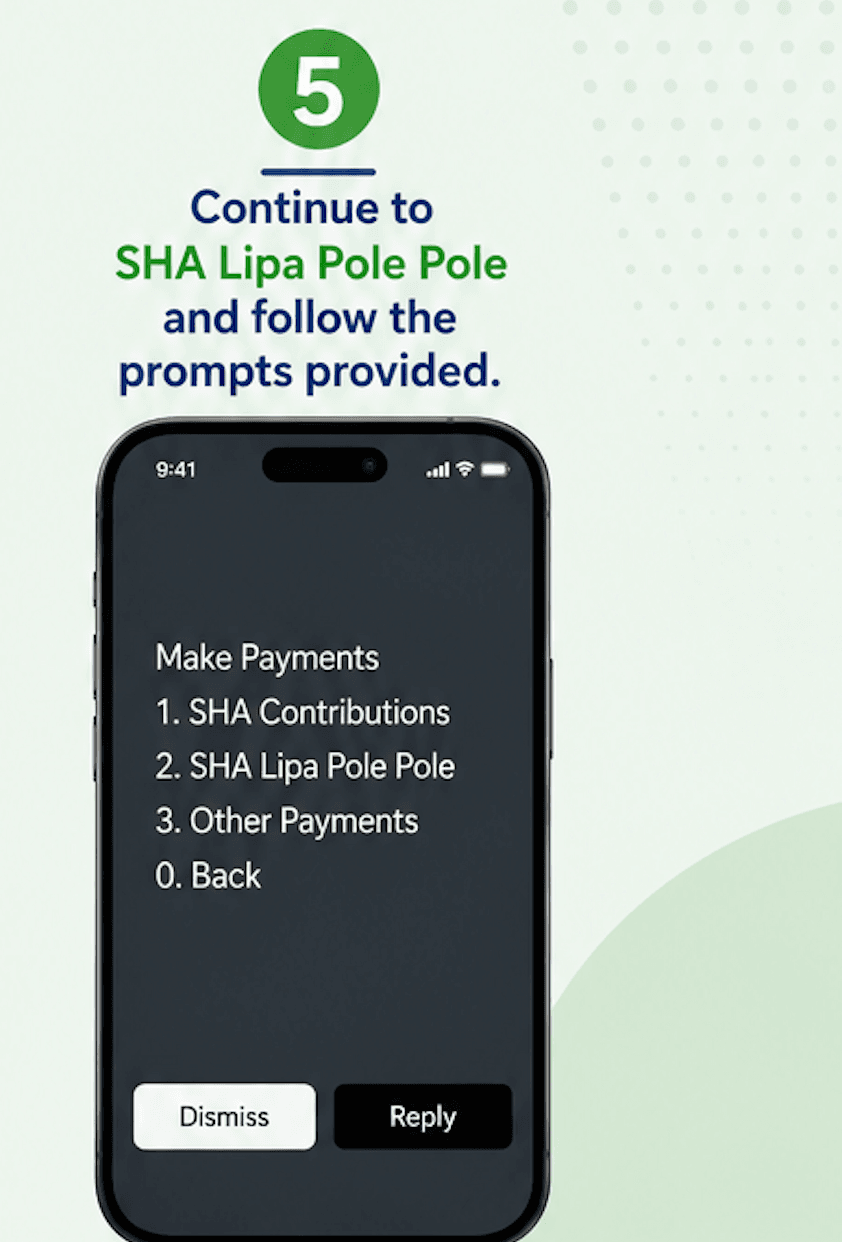
Choose Lipa Pole Pole and finish up
From the payments list, select SHA Lipa Pole Pole and follow whatever prompt comes up next to complete your contribution.
What Happens at Each Step
| Prompt | What it’s actually doing |
|---|---|
| 1. Dial *147# | Opens your USSD session with SHA’s system |
| 2. ID category | Routes you as a citizen, resident, or alien |
| 3. National ID number | Pulls up your contributor record |
| 4. Make Payments | Moves you from the main menu into payment options |
| 5. Lipa Pole Pole | Processes your instalment payment |
Get Stuck Partway Through?
Send us a message on WhatsApp and we’ll talk you through the rest of your SHA Lipa Pole Pole payment.
WhatsApp Us NowFAQ: SHA Lipa Pole Pole via *147#
What is the USSD code for SHA Lipa Pole Pole?
*147# — it works on any handset, smartphone or not, without needing data or Wi-Fi.
Do I need internet to use *147#?
No. USSD codes run over the mobile network itself, so even the most basic phone can complete the payment.
I’m not a Kenyan citizen — can I still use this?
Yes. Foreign residents and aliens pick their own category at the same prompt and continue with their resident or alien ID number in place of a National ID.
What exactly should I type at the ID prompt?
Your National ID number, typed exactly as it appears on the card, then sent as your reply.
Which menu is Lipa Pole Pole under?
It sits inside Make Payments on the main SHA menu — select that first, then choose Lipa Pole Pole from the list that follows.
Is *147# my only option for paying SHA?
It’s the fastest USSD route, but you can also pay through the SHA web portal or the Afya Yangu app if you have internet access.
